DISCLAIMER
-
The information provided on this website is intended to provide a basic
understanding of certain technologies and is not intended to be a
comprehensive guide.
-
Therefore, it should not be relied upon as the sole source of
information and should not be used as a substitute for professional
advice or expert analysis.
-
Please exercise caution when visiting or downloading from websites
mentioned on this website and verify the safety of the website and
software.
-
Some websites and software may be flagged as malware by antivirus
programs.
-
The reader assumes all responsibility for their use of the information
contained on this website and any consequences that may arise.
-
The author disclaims any liability for any damages or losses that may
result from the use of this website or the information contained
herein.
-
The author reserves the right to update or change the information
contained on this website at any time without prior notice.
-
Any attempts to perform penetration testing or ethical hacking on
systems or networks should be done with the explicit permission of the
system/network owner.
-
Unauthorized access is illegal and can result in serious legal
consequences.
-
It is important to fully understand the scope of the testing and to
only test within that scope. Testing outside the agreed upon scope is
considered unauthorized and may result in legal action.
-
Any findings or vulnerabilities discovered during testing should be
reported to the system/network owner immediately and kept confidential
until a fix can be implemented.
-
It is recommended to use a separate, dedicated testing environment
rather than testing on a live production system to minimize the risk of
accidentally causing damage or downtime.
-
It is important to take steps to protect your own identity and prevent
accidental data leaks or exposure of sensitive information during
testing.
-
It is also recommended to follow a standard code of ethics for ethical
hacking and penetration testing.
Secure Online Privacy
Google Account Privacy Setups

|
|
Google Privacy
|
-
Review your Web & App Activity settings
-
Web & App Activity = Pause

|
|
web-activity
|
-
Review your YouTube History settings = Pause
-
Review how your ads are personalized
-
Options for ads on Google services
like YouTube

|
|
Ad centre
|
-
Options for ads on sites that
partner with Google = turn-off
-
Review what profile info others see

|
|
Profile settings
|
-
Show your profile name, photo, and activity like reviews in ads. =
turn-off
-
Review what you share on YouTube
-
Keep all my subscriptions private =
turn-On
-
Your subscriptions won’t be visible
to others, unless you use features that make them public
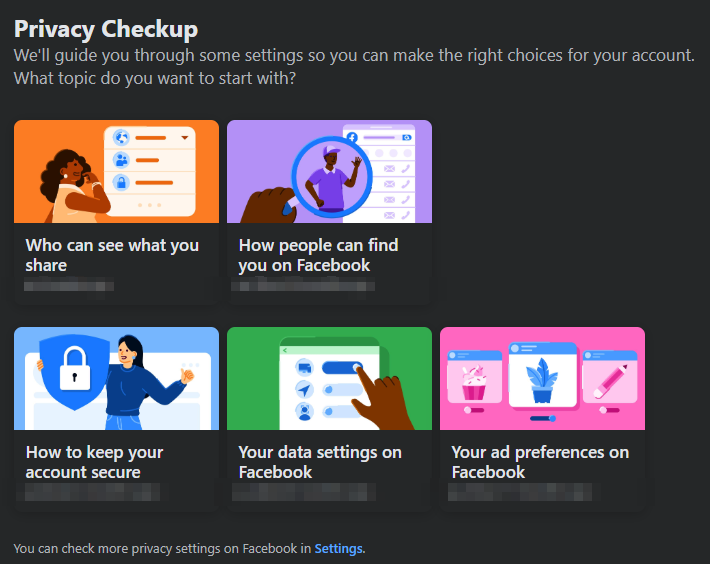
Facebook Privacy checkup
|
|
FB Privacy settings
|
Profile Information
Phone
number Email Birthday Hometown Relationship Friends
and following
all sections select = only me
About Ads on Facebook
Who can see your social interactions alongside ads? -= only me
Turn-Off from search engines searches

|
|
FB Search Engine
|
Android Privacy settings
-
Customisation service: = turn-off
-
Send diagnostic data = turn-off
-
Ads= turn-off all features, to disable interest based ads.
-
https://support.google.com/android/answer/13530434?visit_id=638709986589014319-2002170806&p=privacy_dashboard&rd=1
-
Change app permissions on your Android phone
-
https://support.google.com/android/answer/9431959
*******
How to keep your Accounts safe
Multi-Factor Authentication
Updated for 2024
The most important part is to secure your .
There is an additional security step to certify your login. Known
as “2-Step Authentication”, now Multi-Factor Authentication.
Let us go through the steps how enable them, before that you have to
download the app as mentioned below.

|
|
2-step from 2013
|
Download
-> “Authenticator” app from Google Play Store.
https://play.google.com/store/apps/details?id=com.google.android.apps.authenticator2&pcampaignid=web_share

|
|
Google authenticator app
|
Google:
Login into account:

|
Img: Google Account Tab
|
-> Select “MY Account”
-> Under “Sign-in & Security”
-> Under “Signing in to Google” -> Under “Password & sign-in method”
-> Select “2-Step Verification” -> Click to enable
them and flow through the steps provided.
-> Open “Authenticator” app, Scan the code and complete the
workflow.

|
Image 2017
|
2024 Multi-Factor Authentication:

|
|
2024 image
|
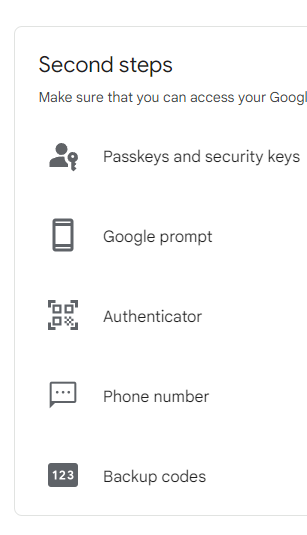
2024: 2-Step Verification Settings
|
|
2024: 2-step menu
|
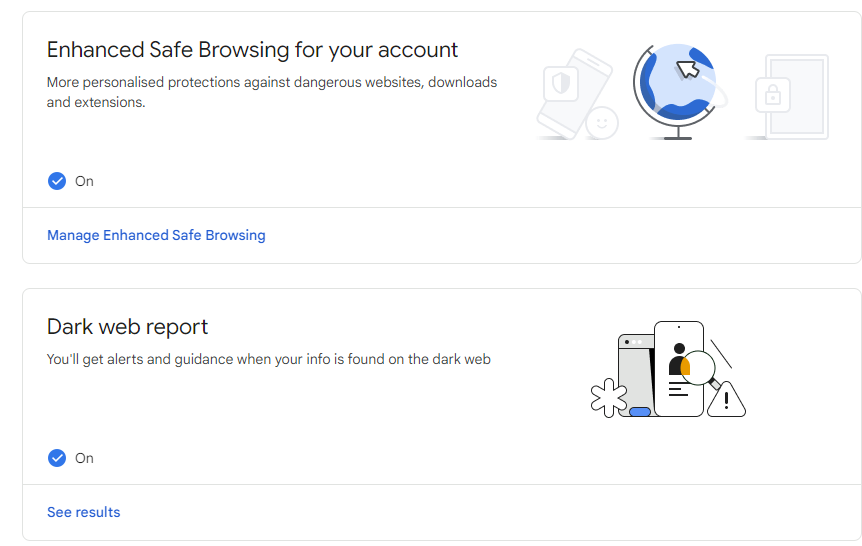
2024: Enhanced Browsing
Enable the Dark web report to get info on any data breaches.

|
|
Data breach results
|
*****************************************
Facebook:
Login into Account
-> Select “Settings” -> under “Security and Login”
-> Under “Setting Up Extra Security”
-> Select “Use two-factor authentication”
-> Under “Code Generator”
-> Select “Set up a third party app to generate codes”
-> Open “Authenticator” app, Scan the code and complete the
workflow.
Authenticator app
|
|
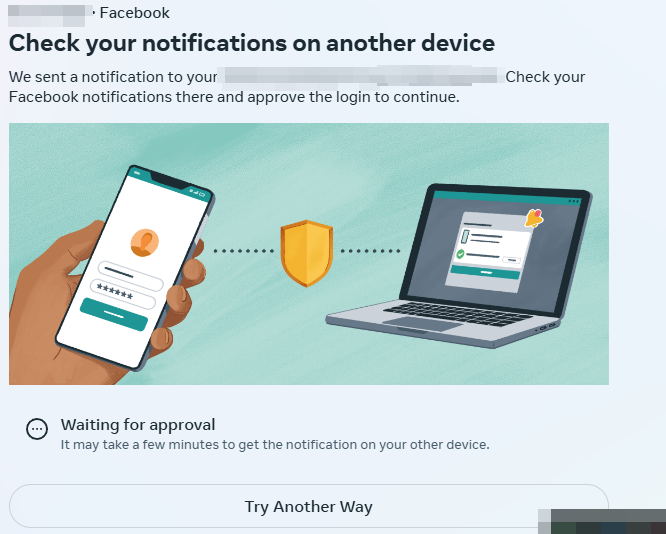
2024 FB Sign in approval notifications
|

|
|
2024: FB account setup menu
|

|
|
2024 FB 2-step
|
*****************************************************************
Login into Account
-> Select “Settings and Privacy”
-> Under Security -> “Select a code generator app”,
follow the steps as followed.
-> Open “Authenticator” app, Scan the code and complete the
workflow.

|
|
2024: Twitter [ X ] Account Menu
|

|
|
2024: 2-Step Menu
|
#Initial Published on 16 May 2017
*****************************************************************
Deleting Data Request form
The Role of GDPR in Protecting Personal Data: non-compliance with
GDPR standards.
Read more details : https://www.gouti1454.com/p/gdpr.html
If you're concerned about your data privacy, an open-source tool
exists that lets you request data deletion from data brokers. You
can access the tool: https://remover.visiblelabs.org/
In the UK and EU, users have the right to make a "Data Deletion
Request" under the UK Data Protection Act.
For "sagacity solutions"
For example, if you'd like to request data deletion from Sagacity
Solutions, you can use this link
[https://www.mydatachoices.co.uk/Suppress] or contact them via
email at dpo@sagacitysolutions.co.uk.
*****************************************************************
Privacy Settings for windows
Disable all the telemetry ads data on windows.

|
|
wpd.app
|
*****************************************************************
Brave Browser
https://brave.com/download/
Install Brave Browser to avoid Ads and block scripts from websites,
for both Windows and Android
Brave Browser, blocks ads on youtube
|
|
Brave browser: shield off
|

|
|
Brave browser: shield on
|
*****************************************************************



Comments
Post a Comment